In today’s digital world, AI tools and online platforms are transforming how we create videos, design graphics, generate content ideas, manage teams, analyze performance, and boost sales.
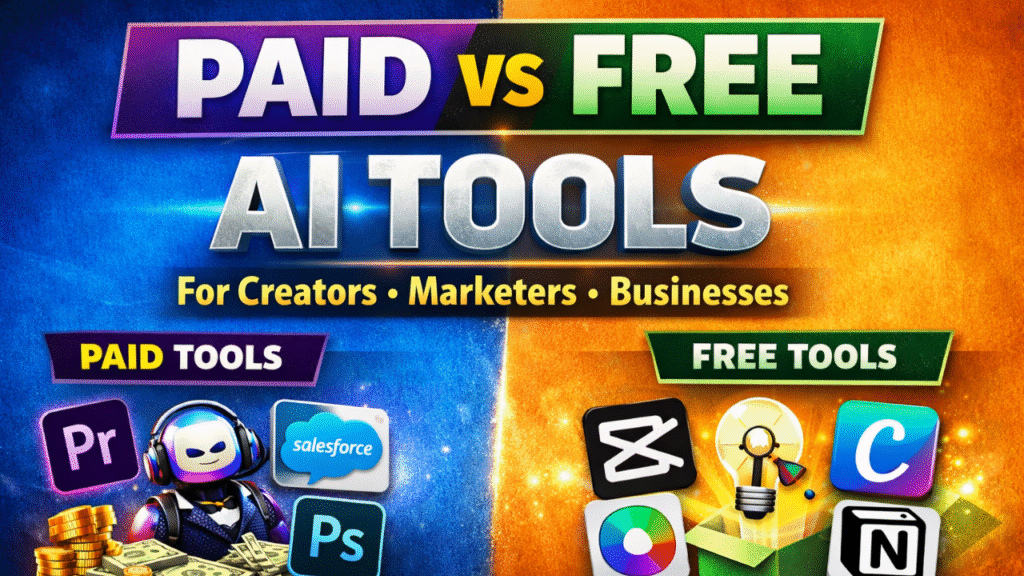
But one big question remains:
Should you use paid tools or free tools?
In this article, we’ll break down the best paid vs free tools across major categories including video editing, content research, sales, design, analytics, AI tools, team collaboration, and scheduling — so you can choose what’s right for you.
Video Editing Tools
Paid Tools
- Adobe Premiere Pro – Industry-standard video editing tool used by professionals.
- Final Cut Pro – Powerful editing software for Mac users.
- Adobe After Effects – Best for motion graphics and advanced visual effects.
- Filmora – Beginner-friendly yet feature-rich editor.
Why Choose Paid?
- Advanced transitions & effects
- Better rendering speed
- Professional export quality
- No watermark
Free Tools
- CapCut – Popular among Reels & Shorts creators.
- DaVinci Resolve – Free professional-grade editor.
- Clipchamp – Browser-based editing.
- iMovie – Simple editing tool for Apple users.
Why Choose Free?
- Zero cost
- Great for beginners
- Enough for social media content
Content Idea & Research Tools
Paid Tools
- Semrush
- Ahrefs
- BuzzSumo
- Sprout Social
Benefits
- Advanced keyword research
- Competitor analysis
- Trend tracking
- Detailed analytics
Free Tools
- AnswerThePublic
- Ubersuggest
- AlsoAsked
- AnswerSocrates
Best For-
- Finding question-based topics
- YouTube & blog ideas
- Beginner SEO research
Sales Tools
Paid Tools
- Salesforce
- Pipedrive
- Close.io
- Gong
Why Paid?
- Automation
- Pipeline tracking
- Revenue forecasting
- Advanced reporting
Free Tools
- HubSpot CRM
- Calendly
- Notion
- Loom
Perfect For:
- Small businesses
- Freelancers
- Startups
Design Tools
Paid Tools
- Adobe Photoshop
- Adobe Illustrator
- Sketch
- Adobe InDesign
Why Paid?
- Advanced design control
- Professional printing support
- Industry-standard tools
Free Tools
- Canva
- Figma
- VistaCreate
- GIMP
Best For:
- Social media graphics
- Quick thumbnails
- UI/UX beginners
Analytics Tools
Paid Tools
- Iconosquare
- Hootsuite
- Later
Why Paid?
- Deep audience insights
- Competitor comparison
- Scheduled reporting
Free Tools
- Not Just Analytics
- Creator Studio Insights
- Analisa.io
- SocialStatus.io
Ideal For-
- Tracking growth
- Checking engagement
- Beginner analytics
AI Tools
Paid Tools-
- ChatGPT Plus
- Midjourney
- Jasper
- Descript
Why Paid?
- Faster processing
- Better outputs
- Commercial usage
- Premium features
Free Tools
- Gencraft
- Vidyo.ai
- Predis.ai
- Neural.love
Team Management Tools
Paid Tools
- Slack (Pro)
- Asana
- Monday.com
- ClickUp
Free Tools
- Slack (Free)
- Trello
- Notion
- Google Meet
Scheduling Tools
Paid Tools
- Later
- Planoly
- Hootsuite
- Buffer (Pro)
Free Tools
- Creator Studio
- Buffer (Free)
- Canva Scheduler
- Metricool
Final Verdict: Paid vs Free – Which Should You Choose?
Choose Free Tools if:
- You are a beginner
- You’re testing ideas
- You have a limited budget
- You create basic social media content
Choose Paid Tools if:
- You run a business
- You need automation & analytics
- You want professional-level results
- You are scaling your brand
Conclusion
Free tools are powerful enough to start your journey. But as you grow, paid tools help you scale faster, automate processes, and deliver professional results.
Want to Learn AI Tools? Join my complete course [Click Below Link]
Bundle of 20 AI tools to increase your Productivity and income