A new AI-powered trend is taking over Instagram — the Viral Dancing Dummy Video. In this trend, mannequin (dummy) appears to dance in a luxury storefront setting while wearing a brand’s product. Businesses and creators are using this creative concept to promote bridal wear, fashion collections, and even boutique brands in a highly engaging way.
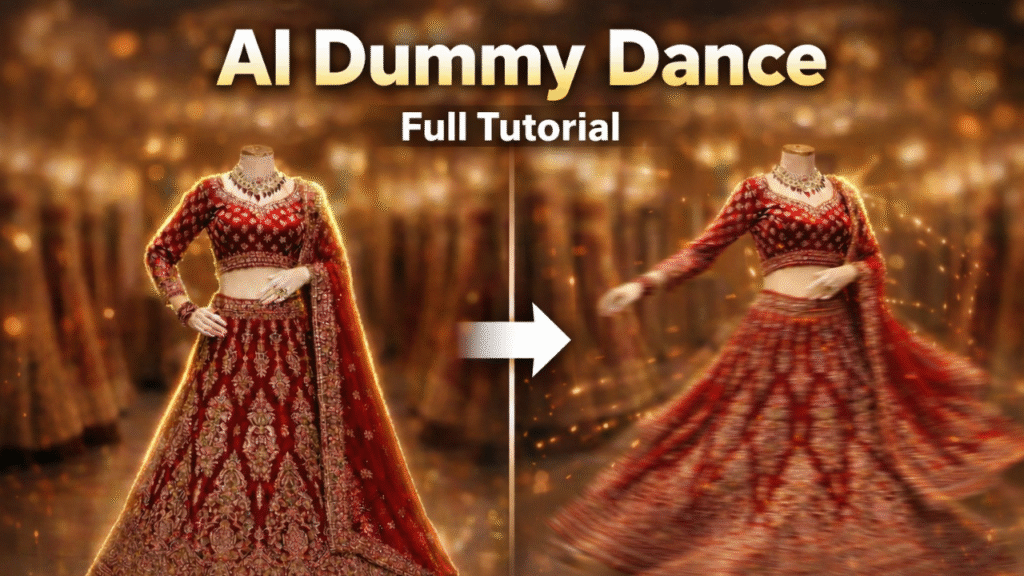
The best part? You can create this entire video using just two AI tools:
- Google Gemini (for image generation)
- Kling AI (for motion and animation)
Let’s break down the complete step-by-step process.
Step 1: Generate the Luxury Dummy Image Using Google Gemini
First, open Google Gemini and use the following prompt to generate your ultra-realistic storefront image:
Prompt
Ultra-realistic luxury Indian bridal boutique storefront, perfectly symmetrical front view. White Italian marble facade with rich gold ornamental detailing and royal palace architecture. At the top center, elegant 3D metallic gold cursive logo reading “BRAND NAME”, backlit with warm premium lighting. Three tall arched display windows showing regal Indian bridal portraits in heavily embroidered lehengas. Foreground center — headless mannequin wearing royal blue velvet bridal lehenga with intricate gold embroidery and luxury bridal jewelry. Side displays show additional red and gold bridal lehengas inside a warm premium designer showroom visible through glass. Cinematic luxury lighting, polished marble reflections, high-end fashion photography, ultra sharp textures, 8K hyper realism, commercial brand advertisement style. Camera: centered, eye-level, 35mm lens. Aspect ratio: 9:16 vertical.
Customization Tips (Very Important)
You can fully personalize this prompt:
- Replace “BRAND NAME” with your own brand.
- Change the outfit to your own product (bridal dress, saree, gown, indo-western, etc.).
- Modify colors and embroidery style as per your niche.
- You can even upload your own product image and ask Gemini to recreate it in this luxury storefront style.
- Once generated, download the image.
 Step 1 is complete.
Step 2: Turn the Dummy Into a Dancing Video Using Kling AI
Now it’s time to animate your image.
1. Open Kling AI
2. Select the Motion Control option.
3. Upload:
The image you generated in Gemini.
A reference dance video (the dance style you want the dummy to copy).
4. Click Generate.
You can also use this video prompt:
Cinematic steady camera, soft luxury lighting, perfect symmetry, photoreal 8K, motion locked to scene with no distortion. Kling AI will analyze the reference dance and apply the same motion to your dummy image — making it look like the mannequin is dancing naturally while wearing your product.
Within minutes, your AI-generated dancing dummy promotional video will be ready.
Why This Trend Is Going Viral
- Highly scroll-stopping visuals
- Luxury brand positioning
- AI-generated but looks real
- Perfect for bridal boutiques and fashion brands
- 9:16 format ideal for Instagram Reels
This concept combines hyper-realistic storefront visuals with dynamic motion, creating a premium advertisement style video without a physical photoshoot.
Final Thoughts
The Viral Dancing Dummy AI video trend is a powerful way to promote your fashion brand creatively. With just Google Gemini for image generation and Kling AI for motion animation, you can create professional-level promotional content from your phone or laptop.
We’ve created a full detailed video explaining the entire process step-by-step, and we are also preparing a complete guide for those who want to master AI product promotion techniques.
If you want to stay ahead in AI-based marketing, this is the perfect trend to try right now.
Want to Learn AI Tools? Join my complete course [Click Below Link]
Bundle of 20 AI tools to increase your Productivity and income