AI has made it possible to create ultra-realistic celebrity selfie content that looks cinematic, festive, and highly shareable. In this guide, you’ll learn how to create Holi-themed celebrity selfie images using Nano Banana Pro in Google Gemini, and then convert those images into a cinematic running selfie video using Google Flow’s Frame-to-Video feature.
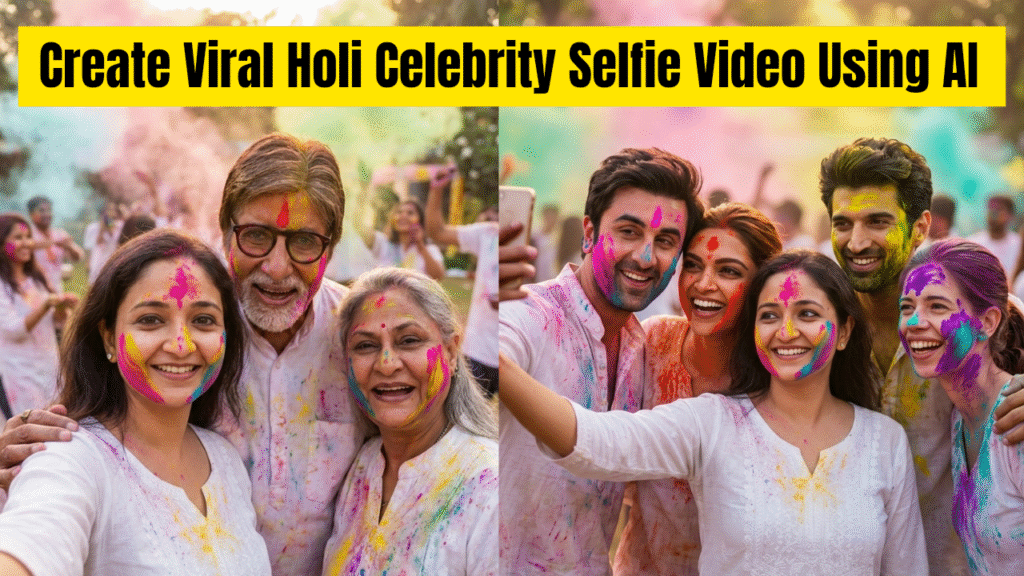
This method is perfect for Instagram Reels, YouTube Shorts, and viral AI content creation.
Tools Used
- Image Generation: Google Gemini (Nano Banana Pro)
- Video Generation: Google Flow
Style: Photorealistic, cinematic, Holi festival vibes
Part 1: Creating a Holi Celebrity Selfie Image (Gemini – Nano Banana Pro)
We will first generate a high-fidelity Holi selfie image while keeping the person’s identity completely unchanged.
Step-by-Step Process
- 1. Open Google Gemini
- 2. Upload your reference photo
- 3. Select Nano Banana Pro model
- 4. Paste the image prompt (example below)
- 5. Replace placeholder celebrity names and location
Image Prompt Example (Use This Format)
>  Image Prompt (Nano Banana Pro – Gemini)
Create a realistic, ultra high-fidelity 8K image based on the attached reference photo.
Maintain exact facial features, skin tone, hairstyle, and expression. Do not alter identity or perform face swap.
The person is taking a selfie with [Celebrity Name] at [Location], in full Holi vibes with natural gulal colors on face and clothes, color powder in the air, cinematic lighting, and a festive background.
Style: Photorealistic, cinematic, HDR, DSLR quality, 8K, natural lighting, shallow depth of field, realistic Holi environment.
 Important Tip:
Always write celebrity names directly (example: [Actor Name]) instead of uploading celebrity images.
Part 2: Turning Images into a Cinematic Video (Google Flow – Frame to Video)
After generating images, we’ll convert them into a realistic cinematic video using Google Flow’s Frame-to-Video feature.
Step-by-Step Process in Google Flow
- 1. Open Google Flow
- 2. Select Frame to Video
- 3. Upload: First Frame:
- Selfie with first celebrity
- Second Frame: Selfie with second celebrity
- 4. Paste the video prompt
- 5. Generate the video
Video Prompt Example (Frame to Video)
>  Video Prompt (Google Flow)
Create a realistic cinematic handheld video.
In the first frame, the person takes a selfie with [First Celebrity / Movie Cast] during a Holi celebration. She then runs through the crowd while the handheld camera follows her.
She reaches [Second Celebrity / Movie Cast] and takes another selfie.
Maintain exact facial identity and realism. Include natural motion, Holi colors in the air, cinematic lighting, and a handheld tracking shot.
Style: Photorealistic, cinematic, handheld, 4K+ quality.
Why This Method Works for Viral Content
- Festival Emotion: Holi colors add instant vibrancy
 Handheld Motion: Makes the video feel real and immersive
 Selfie Concept: High relatability and retention
 Short-Form Friendly: Perfect for Reels & Shorts
 No Face Swap: Identity stays natural and believable
Best Practices for Better Results
- Use clear, front-facing reference photos
- Keep prompts simple but descriptive
- Avoid overloading with too many celebrities
- Use natural Holi lighting keywords
- Export in vertical (9:16) for social platforms
Final Thoughts
By combining Nano Banana Pro in Google Gemini for images and Google Flow’s Frame-to-Video feature for videos, you can create ultra-realistic Holi celebrity selfie content that looks cinematic, festive, and highly viral.
This workflow does not require professional cameras, studios, or real celebrity photos—just smart prompting and AI tools.
Want to Learn AI Tools? Join my complete course [Click Below Link]
Bundle of 20 AI tools to increase your Productivity and income