AI-generated dance videos are going viral across Instagram Reels, YouTube Shorts, and TikTok. Earlier, dancing dummy AI videos dominated this trend, but now creators are upgrading the concept with something more emotional and engaging — AI Baby Holi Dance Videos.
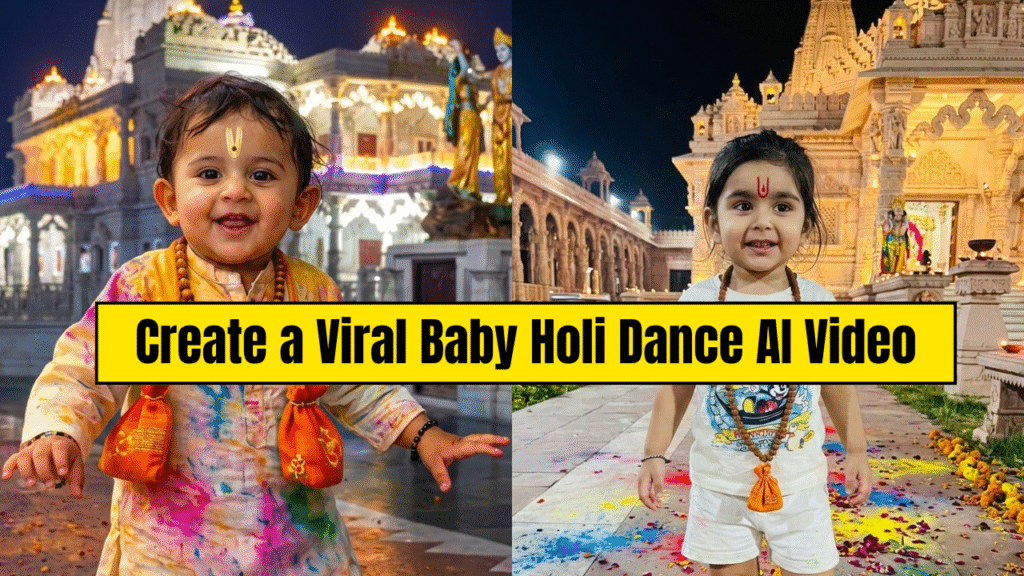
In this tutorial, you’ll learn how to create a photorealistic AI baby dancing on a Holi song using a simple two-step process:
- 1. Generate a festive baby image using a reference photo
- 2. Convert that image into a dancing video using AI motion control
This guide is beginner-friendly and requires no advanced video editing skills.
 What Is an AI Baby Holi Dance Video?
An AI Baby Holi Dance video is created by:
- Taking a real baby photo as reference
- Generating a new Holi-themed AI image
- Applying dance motion from a reference video to that image
The final output looks like a real baby dancing joyfully in a colorful Holi environment, making it highly shareable and emotionally engaging.
 Tools You Will Need
You only need two AI tools to complete this workflow:
- Google Gemini – for generating the baby image using a reference photo
- Kling AI – for animating the image using motion control
 Step 1: Generate the AI Baby Image Using a Reference Photo
This is the most important step.
Here, we do not create a random baby. Instead, we use your own baby photo as a reference so that identity and facial features are preserved.
Step-by-Step Image Process
- 1. Open Google Gemini
- 2. Upload your baby’s reference image
The photo should be clear, well-lit, and preferably full-body
- 3. After uploading the reference image, paste the image prompt below
- 4. Gemini will generate a new Holi-themed baby image based on the reference
- 5. Download the generated image for video creation
 Image Prompt (Use After Uploading Reference Image)
> Prompt:
A high-resolution, full-body portrait photograph of the happy baby from reference img, walking outdoors at night. The black letterboxing is removed. The baby’s joyful smile and expression are preserved, and the U-shaped Tilak on their forehead is distinct. The baby is wearing the same colorful, patterned tie-dye kurta-pajama, with all details, including the specific wooden bead mala and the two detailed orange cloth pouches, clearly visible and sharp. Their bare feet and ankles are detailed as they walk. The ground is covered in a richer, more colorful mix of scattered Holi powders and fresh flower petals, catching the golden temple lights. The background temple is fully visible, well-lit, and sharply defined, showing its intricate architecture and statues without blur, creating a sense of scale and devotion. The entire composition is clear, clean, and fills the frame. The lighting is warm and clear, highlighting the textures of the fabrics, powders, and stone.
 Result:
A realistic, festive AI baby image that matches your original baby photo.
 Step 2: Create the Baby Holi Dance Video Using Motion Control
Now we animate the image using AI motion transfer.
Step-by-Step Video Process
- 1. Open Kling AI
- 2. Select the Motion Control option
- 3. You will see two frames:
 First Frame – Reference Video
- Upload a dance reference video
- Choose a Holi song dance with clear body movements
- Second Frame – AI Image
- Upload the AI baby image generated from Gemini
- 4. Paste the video prompt below
- 5. Click Generate
Kling AI will analyze the motion from the reference video and apply it naturally to the baby image.
 Video Prompt (Use in Kling AI)
> Cinematic steady camera, soft luxury lighting, perfect symmetry, photoreal 8K, motion locked to scene with no distortion. Kling AI will analyze the reference dance and apply the same motion to your baby image, making it look like the baby is dancing naturally in the Holi environment.
 Why AI Baby Holi Dance Videos Go Viral
This content format works extremely well because:
- Baby visuals create strong emotional engagement
- Holi colors make the video visually vibrant
- AI motion looks realistic and smooth
- Perfect for festival-based viral content
 Best Tips for Higher Quality Results
- Always use clear reference images
- Avoid blurry or cropped photos
- Choose simple, clean dance reference videos
- Keep prompts cinematic and stable
- Export in vertical (9:16) format for reels
Final Thoughts
The AI Baby Holi Dance Video trend is a powerful upgrade from earlier dummy dance videos.
With just one reference image and one dance video, you can create highly engaging festival content using AI.
Want to Learn AI Tools? Join my complete course [Click Below Link]
Bundle of 20 AI tools to increase your Productivity and income