Dhurandhar : The Revenge Gemini Prompts- AI content creation is exploding in 2026, and one of the hottest trends right now is creating celebrity selfie videos using AI. With the hype around Dhurandhar 2: The Revenge, creators are making viral reels by placing themselves alongside the movie’s cast and turning those images into cinematic videos.
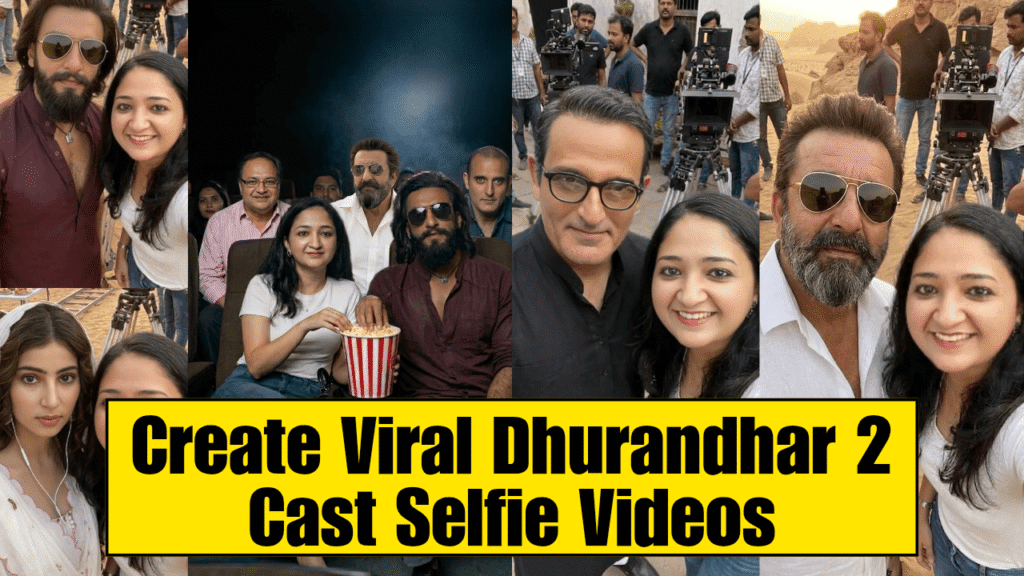
In this guide, you’ll learn step-by-step how to create your own Dhurandhar 2 AI selfie photos and viral videos using simple tools like Google Gemini and Google Flow.
 About Dhurandhar 2 Trend
Dhurandhar became extremely popular for its intense action, desert visuals, and powerful cast presence. Now with Dhurandhar 2: The Revenge gaining attention, creators are leveraging its cinematic style and cast vibe to create AI-generated selfies and videos, making it a viral content format on Instagram Reels and YouTube Shorts.
 What We Are Creating
- AI Selfie Images with Dhurandhar 2 Cast
- Converting those images into cinematic videos
- Merging clips into a viral reel
 STEP 1: Create AI Selfie Images (Google Gemini)
First, go to Google Gemini and use the prompt below.
 Important Tips:
- Upload your own photo as reference image
- You can replace the celebrity name like Ranveer Singh or any other actor
- Adjust the “look” line if needed
 Image Prompt
Create a realistic cinematic selfie of a person from the reference image with [Ranveer Singh] at a Dhurandhar 2 film shooting set in a desert location. Both are standing close together, smiling naturally at the camera. The person from the reference image should maintain exact facial features, skin tone, and identity with natural lighting and a casual outfit. [Ranveer Singh] should appear in Dhurandhar 2 look. Background shows a real Dhurandhar 2 movie set with film crew members, a professional cinema camera on tripod, and rocky desert terrain under warm golden-hour sunlight. Style: Photorealistic, ultra-detailed, handheld selfie, shallow depth of field, natural lighting, cinematic color grading, 4K quality.Ensure accurate likeness of [Ranveer Singh] and preserve identity from the reference image. Create multiple images with different celebrities
 STEP 2: Convert Images into Video (Google Flow)
Now go to Google Flow and select:
 Frame to Video
 How it works:
- First Frame → Image with Celebrity 1
- Second Frame → Image with Celebrity 2
Then paste the video prompt below
 Video Prompt
Create a realistic cinematic handheld video. In the first frame, a young woman is clearly visible in the foreground, holding her phone in selfie mode. She smiles and starts recording herself while standing on a busy film shooting set. As she slightly turns the camera, [First Celebrity / Movie Cast] naturally comes into frame beside her, and she takes a quick selfie with them. Immediately after, she starts running excitedly through a crowded set, still holding the phone in her hand in selfie mode. The handheld camera follows her movement with natural shake, motion blur, and dynamic tracking. She navigates through people and reaches [Second Celebrity / Movie Cast], then lifts her phone again and takes another selfie with them. Ensure the phone is always visible when she is recording or taking selfies. Maintain correct hand positioning and natural arm movement while running. Maintain exact facial identity, realistic expressions, and consistent character appearance throughout the video. Style: Photorealistic, cinematic, handheld, natural lighting, dynamic motion, 4K+ quality. STEP 3: Create Viral Reel
After generating multiple clips:
- 1. Open any video editing app
- 2. Import all clips
- 3. Arrange them in sequence
- 4. Add a trending viral song
- 5. Sync clips with beats
- 6. Export in vertical format (9:16)
 Pro Tips for Viral Reach
- Use 3–5 different celebrities in one video
- Keep clips short and dynamic
- Use trending audio
- Add fast transitions
- Upload in HD + Reels format
 Final Result
By following this method, you can easily create:
- AI Selfie Photos with celebrities
- Cinematic running selfie videos
- Viral short-form content
Want to Learn AI Tools? Join my complete course [Click Below Link]
Bundle of 20 AI tools to increase your Productivity and income