AI video generation just leaped into the future! Google has rolled out its game-changing Gemini Omni model, allowing you to put a digital version of yourself into absolutely mind-blowing scenarios—from Star Wars battlefields to luxury yachts—just by using simple text prompts.
If you want to create cinematic, high-quality videos of your own AI avatar for free using your mobile phone, you are in the right place. In this blog post, we are sharing the exact prompts you need and the step-by-step process to get it done entirely inside the Gemini App.
How to Setup Your Personal Avatar in the Gemini App
Before you can generate videos of yourself, you need to set up your personal avatar. The entire process takes place natively inside the Gemini App or on your browser at gemini.google.com.
Here is exactly how to do it:
- Open the App: Open the Gemini mobile app or head to gemini.google.com.
- Access the Tool: In the text box at the bottom, tap on the Add Files icon (the plus sign or paperclip) and select Avatar.
- Record Your Likeness: Follow the on-screen instructions to record a quick video selfie of your face and a clip of your voice.Tip: Make sure you are at eye level, in a quiet room, with clear, bright lighting so Gemini gets an accurate look at your features.
- Save and Activate: Tap Use Avatar. Google will securely build your digital twin.
If you ever want to review or delete your data later, you can find it by going to Settings > Personal avatar from your main profile menu.
How to Generate Your Video Using Gemini Omni
Once your avatar is trained, calling it up in a prompt is incredibly easy. Whenever you use the word @avatar or type your specific Google username handle, Gemini Omni knows exactly who to put in the video.
- Open a new chat in the Gemini App.
- Tap Add Files at the bottom and select Avatar. This will instantly inject your unique handle into the prompt text box (e.g.,
@[your username]). - Copy and paste one of the viral prompts below directly after your handle tag.
- Hit Submit and watch Gemini Omni build your scene!
8 Viral Gemini Omni Prompts You Can Use Right Now
Here are the exact prompts you can copy and paste.
Note: Remember to leave your handle tag at the beginning of the prompt so the AI knows to use your face!
1. The Sci-Fi Tech Vlogger Scene
Use case: Perfect for intro videos talking about new tech releases.
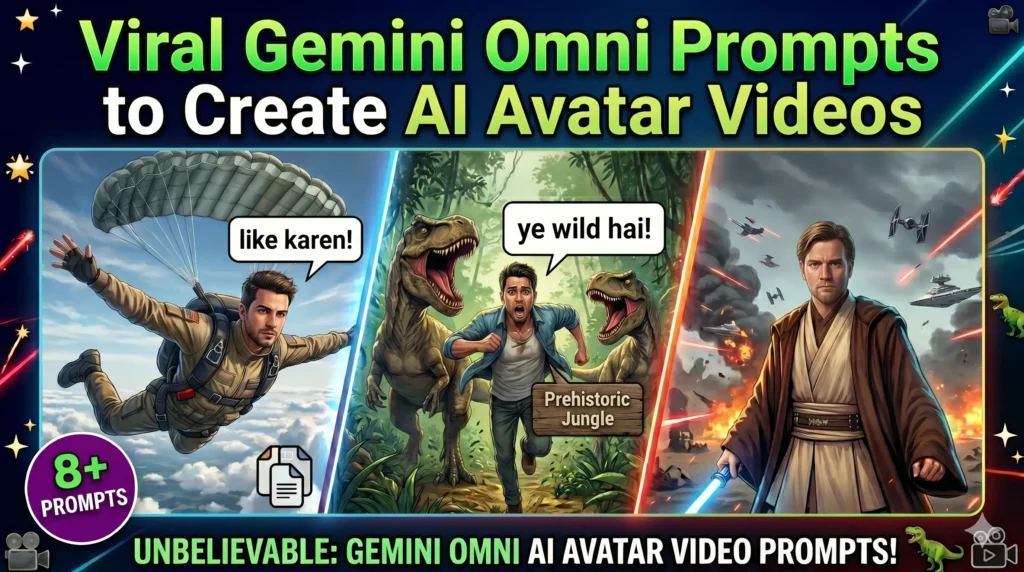
Create a video of @[your username] standing on a chaotic Star Wars battlefield with smoke, laser blasts, and distant spaceships, wearing a traditional Jedi robe and outfit. The avatar speaks this dialogue in a tech-vlogger tone: "Google ne apna ab tak ka sabse wild video generation model release kiya hai jiska naam hai OMNI".
2. The Club VIP Vibe
Use case: Great for engaging transitions or telling your audience how they can do it too.
Create a video of @[your username] sitting on a VIP couch inside a vibrant, neon-lit luxury nightclub, surrounded by beautiful girls. The atmosphere is energetic with club lights flashing. The avatar looks into the camera and speaks this dialogue in a confident, engaging tone: "aur aap bhi is tareeke se apni poori movie bana sakte ho vo bhi free me mobile se."
3. The Extreme Adventure Shot
Use case: An eye-catching, high-energy prompt to ask for likes and shares.
Create a video of @[your username] skydiving, jumping out of a plane high up in the sky, wearing a parachute backpack. The wind is rushing past and the earth is visible far below. The avatar looks into the camera and speaks this dialogue in an energetic, shouting-over-the-wind tone: "to agar excited ho poora process detail me samajhne ke liye to video ko like jarur kar dena".
4. The Prehistoric Thriller
Use case: High retention hook to keep viewers glued to their screens.
Create a video of @[your username] sprinting for survival through a dense, prehistoric jungle scene from a dinosaur movie, surrounded by roaring dinosaurs chasing closely behind. The camera tracks the frantic movement. The avatar looks back at the camera in panic and speaks this dialogue in a breathless, terrified tone: "bhai adventure pe nikla tha par aaj to jinda bachna mushkil lag raha hai kahi mai inka raat ka dinner na ban jau".
5. The Relatable Husband Meme
Use case: Perfect for Instagram Reels and YouTube Shorts to get viral shares.
Use the Meme Me preset on @[your username]. Make my avatar look directly at the camera with a forced, slightly nervous smile and a subtle nod. The overlay text on the video must read: "Pati ka kaam hai sirf kamana aur 'haan ji' keh ke muskurana."
6. The Rich Female Celeb Airport Exit
Use case: Luxury aesthetic for female creators or making a cinematic movie intro.
Create a video of @[your username], elegantly dressed in a stunning pink gown and high heels, confidently walking out of a luxurious airport terminal arrival hall, pulling matching pink designer luggage. She is surrounded by four muscular bodyguards wearing matching sharp black suits, black ties, and black sunglasses, creating a secure parameter. Photographers and onlookers are visible in the background. The avatar looks directly into the camera with a confident, slight smile and speaks this dialogue in a rich, composed tone: "aur aap bhi is tareeke se apni poori movie bana sakte ho vo bhi free me mobile se."
7. The Billionaire Yacht Dialogue
Use case: Attitude, motivation, and alpha-vibe status videos.
Create a video of @[your username] standing on the deck of a sleek, multi-million dollar luxury yacht cruising through clear blue ocean waters, wearing a vibrant tailored yellow suit. The sun is shining brightly, and scenic coastal cliffs are visible in the background. The avatar leans confidently against the yacht railing, looks directly into the camera with a charismatic smile, and speaks this dialogue in a bold, cinematic tone: "Dosto risk hai to ishq hai, aur zindagi hai to jalwa hai!"
8. The Paparazzi “Rachana” Entry
Use case: A pure cinematic story-based video with dramatic acting and dialogue.
Create a video of @[your username], playing a famous woman named Rachana, elegantly walking out of a luxurious airport terminal exit. She is surrounded by several burly bodyguards in black suits who are clearing a path through a crowd of background onlookers and press media flashing cameras. The paparazzi are shouting, "Rachana mam, please 1 photo!". The bodyguards guide her towards a sleek, luxury car parked at the curb. One bodyguard opens the car door for her, and she steps inside and sits down. The avatar looks towards the camera and speaks this dialogue: "dosto ye sab aap 1 prompt se kar sakte hai"
Conclusion
With Gemini Omni, content creation has changed forever. You no longer need expensive cameras, green screens, or heavy video editing skills. Just set up your personal avatar once inside the Gemini App, use your target handle, paste these prompts, and let the AI do the heavy lifting.
Which prompt are you going to try first? Let us know in the comments below!