Cinematic transformation content is dominating Reels and Shorts right now — and one of the most visually satisfying trends is the Cinematic Colour Smash Shot.
In this concept, an outfit appears as a simple black ink sketch. Then, as paint pours from a cup, the clothing gradually reveals its true color — flowing from top to bottom like watercolor spreading across fabric.
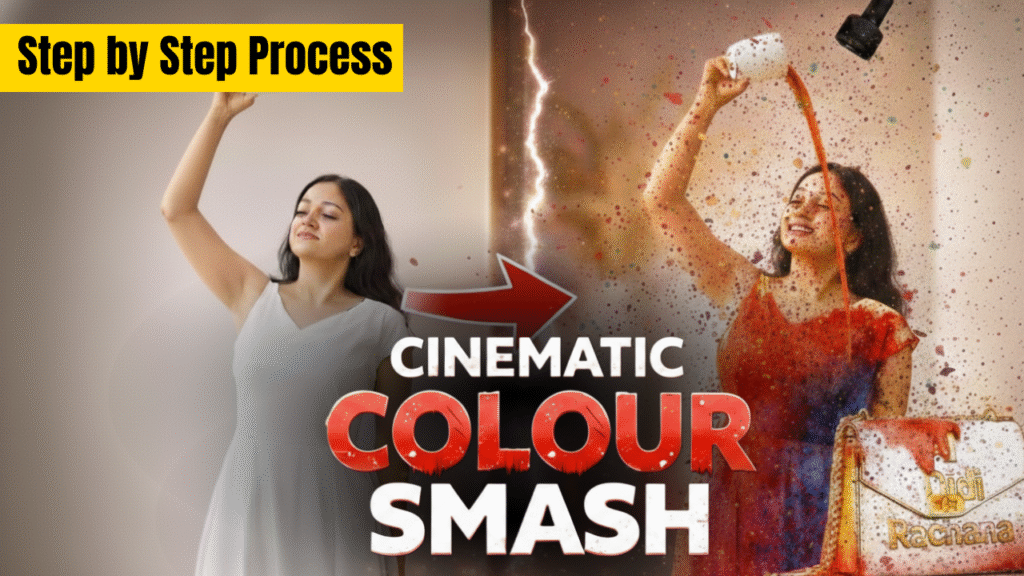
In this complete guide, you’ll learn:
- The exact step-by-step process
- All required prompts
- How to recreate the effect
- And how you can use this style to promote your own brand
 Tools Required
- Google Gemini – For generating images
- Veo 3.1 – For creating the cinematic video
Step 1: Generate the First Image (Colored Outfit Version)
- Open Google Gemini.
- Select the “Create Image” option.
- Upload your reference image.
- Paste the Prompt 1 below.
- Click Generate.
This will create a high-quality, realistic image with the colored outfit.
 Prompt 1 (Real Outfit Version)
Use the uploaded person as the main subject. Keep the same pose, same face, same hair, same body proportions, and the same hand holding a plain white cup raised above the head while looking up at it. Replace ONLY the outfit with [YOUR UPLOADED OUTFIT], keeping the fit natural on the body. Keep the same indoor modern minimal room background, same soft natural daylight, clean neutral walls, wooden panel on the right, and a small plant on a side table. Full body portrait, sharp focus, realistic, high quality, 9:16 vertical.
Step 2: Generate the Second Image (Ink Sketch Version)
Now create the sketch version:
- Open Gemini again.
- Upload the image generated in Step 1.
- Paste Prompt 2.
- Click Generate.
This keeps everything the same but converts only the outfit into a black ink sketch.
Prompt 2 (Sketch Outfit Version)
Make the outfit look like a simple black ink sketch with clean lines and no color, in a minimalist fashion illustration style. Do not modify the face, hair, or any part outside the clothing. 9:16 vertical.
Step 3: Create the Cinematic Video in Veo 3.1
Now it’s time for the transformation effect.
- Open Veo 3.1.
- Select the “Frame to Video” (or 2-frame video) option.
- Upload the Second Image (Sketch Version) as Frame 1.
- Upload the First Image (Colored Version) as Frame 2.
- Paste the video prompt below.
- Click Generate.
 Video Prompt
A person tilts a cup and slowly lets paint in the color of the outfit flow out. As the paint pours, their outfit begins to reveal its true color, progressively filling from the top down—just like watercolor spreading through fabric.
Your Cinematic Colour Smash Shot video is now ready.
 How You Can Use This to Promote Your Brand
Yes — this method is not just for viral content. You can also use it to promote your own brand creatively.
Here’s how:
- Replace [YOUR UPLOADED OUTFIT] with your brand’s clothing design
- Use your brand’s signature colors
- Add your logo subtly on the outfit
- End the video with a brand tagline
- Use your brand color as the paint flowing from the cup
This creates a powerful “color reveal” moment that feels premium and cinematic — perfect for fashion brands, streetwear labels, merch drops, or even personal branding.
Instead of traditional product promotion, this method turns your product into an engaging visual story.
 Pro Tips for Better Results
- Always use a high-resolution reference image
- Maintain 9:16 vertical format for Shorts/Reels
- Choose bold, vibrant outfit colors for stronger reveal impact
- Keep the cup plain white for better color contrast
- Ensure lighting remains soft and natural
 Conclusion
The Cinematic Colour Smash Shot is a simple yet highly viral visual concept. With just two AI-generated images and a frame-to-video animation process, you can create a professional cinematic transformation.
Even better — you can adapt this technique to promote your own brand in a creative, modern, and scroll-stopping way.
Now it’s your turn.
Create, experiment, and turn your next post into a viral color reveal masterpiece. 
