In the world of Indian Premier League, capturing perfect player moments from videos can be difficult. Fast movements, low-quality streams, or compression often result in blurry screenshots. But don’t worry—you can now turn those blur IPL images into stunning 4K photos using AI.
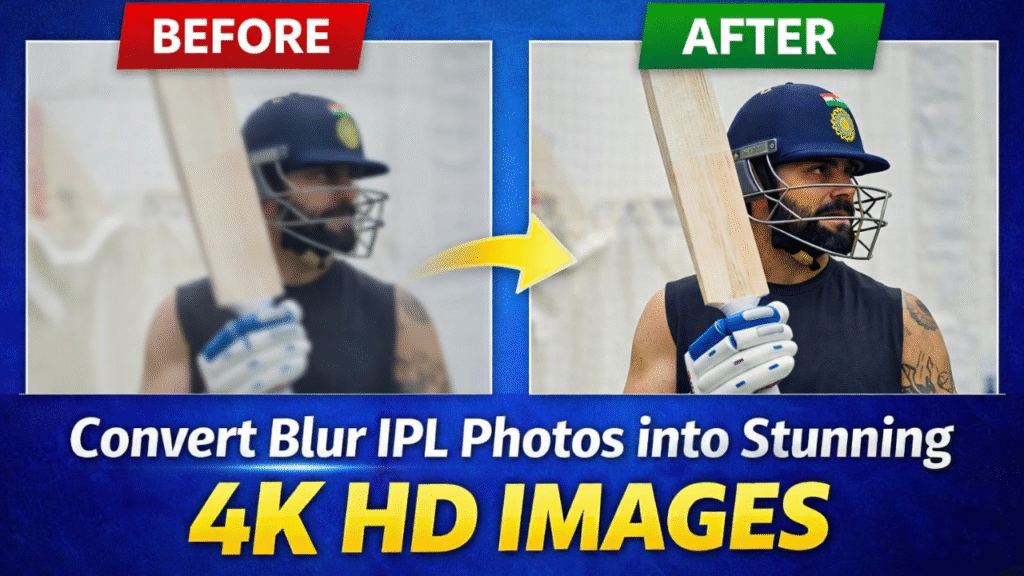
 Step-by-Step Process to Enhance Blur IPL Photos
Step 1: Upload Your Blur Screenshot
First, take a screenshot from a blur IPL video (for example, a batting shot or celebration moment).
Now upload that blur image into any AI image enhancement tool.
 This can be a screenshot of players like Virat Kohli, Rohit Sharma, or any IPL moment.
Step 2: Use the 4K Enhancement Prompt
After uploading the image, paste this powerful AI prompt:
4K Image Prompt:
Ultra-high-Resolution 4K upscale of the provided photo, preserving the subject’s original identity, proportions, and facial accuracy. Enhance fine details such as skin texture, facial features, hair strands, fabric weave, and edges without altering the subject’s appearance. Apply advanced AI super-resolution for maximum sharpness, clarity, and detail reconstruction. Maintain realistic skin tones and natural lighting. Remove compression artifacts and pixelation while keeping a photorealistic look. No beautification, no stylization, no distortion. Output aspect ratio 9:16, studio-grade clarity, professional photographic realism. Keep face sameStep 3: Generate the Enhanced Image
Once you apply the prompt, the AI will:
- Sharpen blurry areas
- Restore facial details
- Improve lighting & textures
- Convert your image into 4K quality
Step 4: Final Output (HD IPL Photo)
Now you’ll get a crystal-clear IPL player image that looks like a professional photo—even if the original was blur.
This trick is perfect for:
- IPL fan pages
- Instagram edits
- Cricket content creators
- Thumbnail making
 Conclusion
With just a blur screenshot, one prompt, and AI, you can easily create high-quality IPL images. This method saves time and gives professional results without any editing skills.
Want to Learn AI Tools? Join my complete course [Click Below Link]
Bundle of 20 AI tools to increase your Productivity and income