Viral Floating Outfit Transition- In today’s fast-moving digital world, creating unique and eye-catching content is the key to standing out—especially for clothing brands. One of the latest viral trends making waves is the Floating Outfit Transition Effect. This creative concept allows you to showcase outfits in a highly engaging and cinematic way, making it perfect for brand promotion.
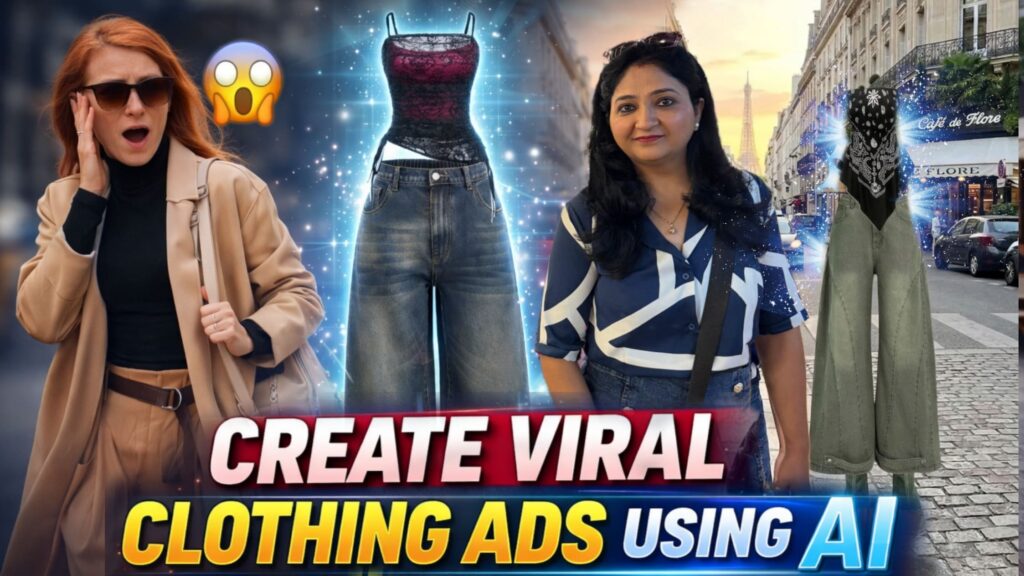
The best part? You can create this effect in just two simple steps—first generating images, and then turning them into a video.
Step 1: Create Images Using Google Gemini
To begin, you need to generate two images that will act as the starting and ending frames of your video.
- First Image (Start Frame)
- Open Google Gemini and upload:
- A clear photo of yourself (with your face visible)
- An image of the outfit you want to showcase
Then use the following prompt:
Use Image 2 as the base and keep the person exactly unchanged — same pose, face, outfit, lighting, and background. Take the outfit from Image 1 and place it on the right side of the person, slightly above the ground. The outfit should appear naturally hanging and floating in mid-air, as if on an invisible hanger, with soft fabric folds and a gentle airflow effect, like clothes lightly moving in the breeze. Avoid making it look stiff or flat. The shoes should also be lifted slightly above the ground, clearly floating, not touching the floor. Do not place the outfit too high — keep it near the person’s height and position for a balanced composition. Ensure realistic lighting, shadows, depth, and perspective so both the person and the floating outfit blend naturally into the same scene.
8k DSLR photo
This will generate your first frame, where the outfit is floating beside you.
Second Image (End Frame)
Next, upload the same base image again along with the outfit references. Use this prompt:
Use the first image as the reference. Use the second image as the outfit for the person on the left. Dress each person in the couple photo with their respective outfit. Preserve: Their faces Body shapes Skin tones Hairstyles Expressions Pose and interaction Background Only replace the clothing according to the reference outfit images. Match the fabric texture, embroidery, colors, and fit accurately. Ensure realistic folds, natural shadows, and correct draping. Keep the result photorealistic, high resolution, and natural looking. Do not change the camera angle or composition.Now your second frame is ready, where the outfit is fully worn.
Step 2: Create Video Using Google Flow
Once both images are ready, it’s time to convert them into a cinematic video.
- 1. Open Google Flow
- 2. Select the Frame-to-Video option
- 3. Upload:
- First image as the starting frame
- Second image as the ending frame
Now use this prompt:
Ultra-realistic cinematic fashion scene. A confident young woman is walking forward on a modern outdoor sidewalk. Camera is front tracking shot, smooth backward movement, medium full-body framing, shallow depth of field, soft natural daylight. On her side, a maroon printed outfit (halter top and pants) is floating in the air beside her, slightly behind shoulder level. The outfit is not walking, it is gently floating and drifting naturally with soft cloth physics. As she walks, she notices the floating outfit and slightly turns her head to look at it with a subtle curious expression. She slows down slightly while still walking, then reaches her hand toward the floating outfit. The fabric reacts naturally to her touch - slight movement, soft cloth physics. She grabs the outfit from the air: First holding the top part with one hand. The floating motion stops once she touches it. She smoothly lifts the outfit and wears it while continuing to walk: She pulls the halter top over her upper body naturally then quickly adjusts it into position. The pants slide up realistically onto her legs in a seamless motion. No jump cuts - everything happens in one continuous take. Cloth behavior must be realistic: Natural folds, gravity-based movement, no morphing or glitching. Her walking motion remains continuous and confident throughout. Final frame: she is fully dressed in the maroon outfit, walking forward in same camera angle. Lighting: soft cinematic daylight, realistic shadows. Motion: smooth, grounded, physically accurate. No distortion, no extra limbs, no face change. Aspect ratio: 9:16 vertical, ultra-realistic 4K.Final Result
Your video is now ready! 
This floating outfit transition creates a premium, cinematic, and viral-ready visual that grabs attention instantly
Why This Works for Clothing Brands
- Highly engaging and scroll-stopping
- Showcases outfit details creatively
- Feels modern and premium
- Perfect for Instagram Reels, YouTube Shorts, and ads
By using this method, you can turn simple outfit images into a powerful marketing asset. Try experimenting with different outfits, backgrounds, and motions to make your content even more unique and viral.
Want to Learn AI Tools? Join my complete course [Click Below Link]
Bundle of 20 AI tools to increase your Productivity and income