Artificial Intelligence is no longer just a chatbot. With the right prompts, tools like Claude AI can become your personal strategist, business advisor, content creator, coding assistant, productivity coach, and learning mentor.
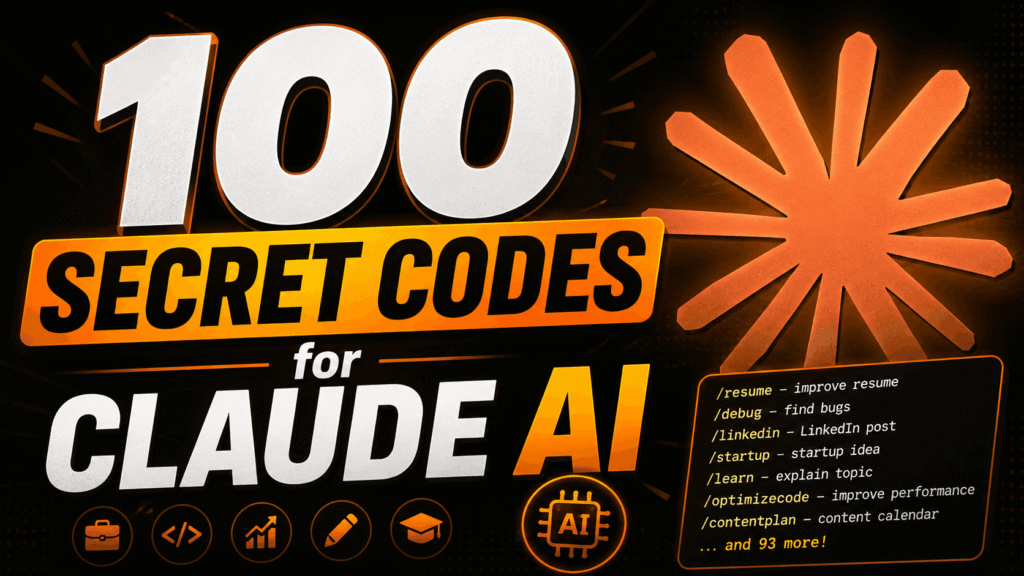
Most people only ask simple questions to AI. But power users know the real magic happens when you use structured prompt commands — also called “secret codes.”
These codes help Claude AI instantly understand the format, style, depth, and purpose of your request. Instead of typing long instructions every time, you can simply use short commands like /brief, /startup, /linkedin, or /stepbystep.
This article covers 100 powerful Claude AI secret codes categorized into different sections including productivity, business, coding, content creation, learning, personal branding, and advanced prompt control.
The Ultimate Prompt System to Unlock Better AI Responses
Most people use AI with random questions. Smart users use structured commands.
These “secret codes” help Claude AI instantly understand:
- Response style
- Output format
- Thinking depth
- Tone
- Goal
- Strategy
Instead of writing long instructions every time, you can simply use short commands like:
/brief + /linkedin + /viralor
/startup + /gtm + /roadmapThis makes Claude AI faster, smarter, and more accurate.
Executive / Output Modes
Control How Claude AI Responds
These commands change the structure and depth of the answer.
/ghost – only final answer, no explanation
/minimal – shortest possible response
/brief – 3–5 lines max
/expand – detailed explanation
/stepbystep – clear steps
/checklist – actionable checklist
/framework – structured framework
/blueprint – implementation plan
/playbook – repeatable system
/roadmap – timeline based steps
Best Use Cases
- Business planning
- Tutorials
- Productivity systems
- Learning complex topics
Example Prompt
/stepbystep Explain how to start freelancingCareer / Job Help
Use Claude AI as Your Career Coach
Perfect for students, job seekers, and professionals.
/resume – improve resume
/interview – interview Q&A
/mockinterview – simulate interview
/hr – HR round answers
/portfolio – project ideas
/roadmapcareer – career roadmap
/jobsearch – job strategy
/referral – referral message
/salary – salary negotiation
/skills – skills to learn
What You Can Do
- Build ATS-friendly resumes
- Prepare for interviews
- Discover high-income skills
- Create professional portfolios
Example Prompt
/resume Improve my digital marketing resumeBuild a 30-day job search plan
“Build me a 30-day job search plan for someone looking for a [job title] role in [industry]. Break it into 4 weekly phases: week 1 foundations, week 2 outreach, week 3 applications, week 4 follow-ups and interviews. For each week, list 5 specific daily actions that move the needle. Include advice on how to track applications, how many outreach messages to send per day, and how to stay consistent without burning out. Tailor it for someone who is [currently employed and searching quietly / unemployed and searching full time].”Write a LinkedIn connection request that lands
“Write a short LinkedIn connection request to a [job title] at [company name] I’ve never met. My goal: [learn about the company / ask for a referral / get career advice]. Keep it under 5 sentences. Don’t be sycophantic. Don’t start with ‘I came across your profile and was impressed.’ Be direct about why I’m reaching out to them specifically. Make it easy for them to say yes by keeping the ask small.”Write a cover letter recruiters would read
“Write a cover letter for a [job title] role at [company name]. My background: [2-3 bullet points about your experience]. Do not open with ‘I am writing to apply.’ Start with a hook that ties my experience directly to a problem this company is trying to solve. Keep it under 250 words. Tone should be confident and human, not stiff and corporate. End with a specific CTA that shows real interest in the next step, not ‘I look forward to hearing from you.’”Turn a rejection into an opportunity
“I applied for a [job title] role at [company] and got a rejection email. Write a short, gracious reply that thanks them for their time, says I’m still genuinely interested in the company, and politely asks if they’d keep my details on file or share quick feedback on my application. Confident and professional, not desperate. Under 100 words. Leave a strong final impression that makes them remember me.”Research a company before applying
“I’m about to apply for a [job title] role at [company name]. Before I send anything, help me research them properly. Pull together: what the company actually does (in plain English), who their customers are, their recent wins or news in the last 6 months, the team or leadership worth knowing, and any red flags I should watch for (layoffs, bad Glassdoor reviews, leadership drama). Then give me 3 specific things I can can mention in my application or interview that will show I did the work. Keep it sharp, no fluff.”Tailor your CV to a job description
“Review my CV below and rewrite it to match this job description. Prioritise the experience and skills most relevant to the role. Pull keywords from the JD and weave them naturally through the summary and bullet points. Cut or shrink anything that doesn’t earn its spot for this specific role. Keep the structure, but make every line pull its weight.”
CV: [paste CV]
Job description: [paste JD]
Negotiate a job offer without flinching
“I just got a job offer for [role] at [company] with a salary of [amount]. Based on my experience in [field] and the market rate for this role, I want to counter at [target amount]. Write a professional reply email that shows real enthusiasm for the offer, makes a specific counter with a brief justification, and keeps the tone warm so the relationship stays strong regardless of the outcome. Do not apologise for negotiating. Keep it uder 200 words.”Prepare and ace any interview
“I have an interview for a [job title] role at [company name]. The company does: [brief description]. Based on the JD below, give me the 10 most likely interview questions, grouped into: behavioural, technical, and culture fit. For each one, give me a bullet-point outline of what a strong answer looks like. Then give me 3 smart questions I should ask the interviewer that will make me stand out.Coding / Tech
Make Claude AI Your Coding Assistant
Helpful for developers, coders, and tech learners.
/debug – find bugs
/refactor – clean code
/optimizecode – improve performance
/systemdesign – architecture design
/api – API structure
/database – DB design
/scalability – scaling approach
/security – security checks
/testcases – generate tests
/pseudocode – logic only
Best For
- Debugging code
- Learning programming
- Building software systems
- Improving app performance
Example Prompt
/debug Find issues in this Python code
Productivity
Get More Work Done Faster
These commands help organize work and improve focus.
/plan – daily plan
/weekly – weekly plan
/prioritize – what to do first
/focus – remove distractions
/automate – automation ideas
/delegate – what to delegate
/habits – habit building
/track – tracking system
/timeblock – time blocking
/review – weekly review
Best For
- Students
- Entrepreneurs
- Creators
- Remote workers
Example Prompt
/timeblock Create a productivity schedule for creatorsThinking Styles
Change the Way Claude AI Thinks
These commands adjust the reasoning style of AI.
/analyst – deep analysis
/critic – find flaws only
/optimizer – improve what’s given
/simplify – explain like beginner
/eli5 – very simple explanation
/deepdive – go very detailed
/compare – compare options
/proscons – list pros and cons
/firstprinciples – break to basics
/contrarian – challenge idea
Why This Is Powerful
You can force AI to:
- Think deeper
- Simplify concepts
- Challenge ideas
- Compare options logically
Example Prompt
/compare iPhone vs Android for creatorsContent Creation
Create Viral Content with AI
One of the most powerful sections for creators and marketers.
/linkedin – LinkedIn post
/twitter – short thread style
/script – video/reel script
/hook – strong opening lines
/story – storytelling format
/carousel – slide-wise content
/headlines – multiple title options
/captions – social captions
/viral – high engagement style
/authority – expert tone
Perfect For
- Instagram creators
- YouTubers
- Coaches
- Influencers
- Agencies
Example Prompt
/script + /hook Create a viral AI reel scriptBusiness / Strategy
Build and Grow Businesses Faster
Use AI like a startup advisor.
/startup – startup idea
/gtm – go to market plan
/monetize – revenue ideas
/validate – validate idea
/icp – ideal customer profile
/sales – sales pitch
/coldm – cold outreach
/offer – offer creation
/funnel – funnel strategy
/retention – retention ideas
What You Can Build
What You Can Build
- Startup ideas
- Sales funnels
- Offers
- Marketing systems
- Customer retention plans
Example Prompt
/startup + /monetize AI business ideas for studentsLearning
Learn Faster Using Claude AI
Turn Claude into a personal teacher.
/learn – explain topic
/resources – best resources
/practice – practice questions
/quiz – test knowledge
/mistakes – common mistakes
/summary – summarize topic
/revision – quick revision
/notes – structured notes
/examples – real examples
/explainwhy – reasoning
Great For
- Exam preparation
- Skill learning
- Self-study
- Concept clarity
Example Prompt
/eli5 + /learn Explain blockchain technologyPersonal Branding
Build Your Online Authority
These prompts help grow your audience and brand.
/profile – LinkedIn profile review
/headline – headline ideas
/bio – bio rewrite
/contentplan – content calendar
/niche – niche clarity
/audience – target audience
/positioning – brand positioning
/engagement – increase engagement
/dms – DM strategy
/growth – growth strategy
Use This For
- LinkedIn growth
- Instagram branding
- Audience building
- Creator positioning
Example Prompt
/bio Rewrite my creator bio professionallyAdvanced Prompt Control
Fine-Tune Every AI Response
These commands customize output style and formatting.
/toneformal – formal tone
/tonecasual – casual tone
/persuasive – convincing tone
/data – include stats
/examplesonly – only examples
/noexamples – no examples
/limit – limit words
/expandpoints – expand each point
/bullet – bullet format
/nobullet – paragraph format
Why It Matters
You can control:
- Tone
- Formatting
- Word count
- Detail level
- Persuasiveness
Example Prompt
/persuasive + /bullet Explain why AI skills matterPro Tip: Combine Multiple Codes
The real power comes from combining commands together.
Examples
/linkedin + /viral + /hook/startup + /gtm + /roadmap/learn + /eli5 + /examples/sales + /persuasive + /bulletFinal Thoughts
Claude AI becomes dramatically more powerful when you stop using random prompts and start using structured command systems.
These 100 secret codes can help you:
- Save time
- Improve AI responses
- Learn faster
- Build businesses
- Create viral content
- Increase productivity
- Think strategically
Master these prompt commands, and Claude AI can become your:
- Business advisor
- Writing assistant
- Productivity coach
- Marketing strategist
- Coding partner
- Learning mentor
The better your prompts, the better your results.
Want to Learn AI Tools? Join my complete course [Click Below Link]
Bundle of 20 AI tools to increase your Productivity and income