If you’ve spent even five minutes scrolling through Instagram Reels or TikTok lately, you’ve probably seen it: a breathtaking, stomach-churning video of a couple standing on top of a massive, dizzying telecom tower, waving a custom flag high above a sprawling city skyline.
It’s easily one of the biggest viral trends on social media right now. But where did it come from, and more importantly, how can you recreate it for yourself without actually risking your life?
In this guide, we will break down the story behind the trend and give you the exact AI prompts you need to create this video entirely from your couch.
The True Story Behind the Viral Trend
This trend was inspired by the real-life extreme “rooftopping” couple, Angela Nikolau and Ivan Beerkus. Known worldwide for their death-defying climbs, they recently shocked social media by scaling the 1,454-foot spire of New York’s iconic Empire State Building.
At the very top, Ivan proposed to Angela while waving a massive flag that read:
“When the power of love beats the love of power, the world knows peace.”
It was the ultimate, cinematic romantic gesture. Naturally, the internet went crazy for it, with users either reacting in sheer anxiety or praising the sheer romance of the stunt.
But let’s be honest—normal people can’t (and absolutely should not!) climb a sky-high industrial tower just for a cool video. Fortunately, you don’t have to. Thanks to modern AI tools, you can create an ultra-realistic version of this exact scenario starring you and your partner.
Step 1: Generate Your “Tower Proposal” Photo
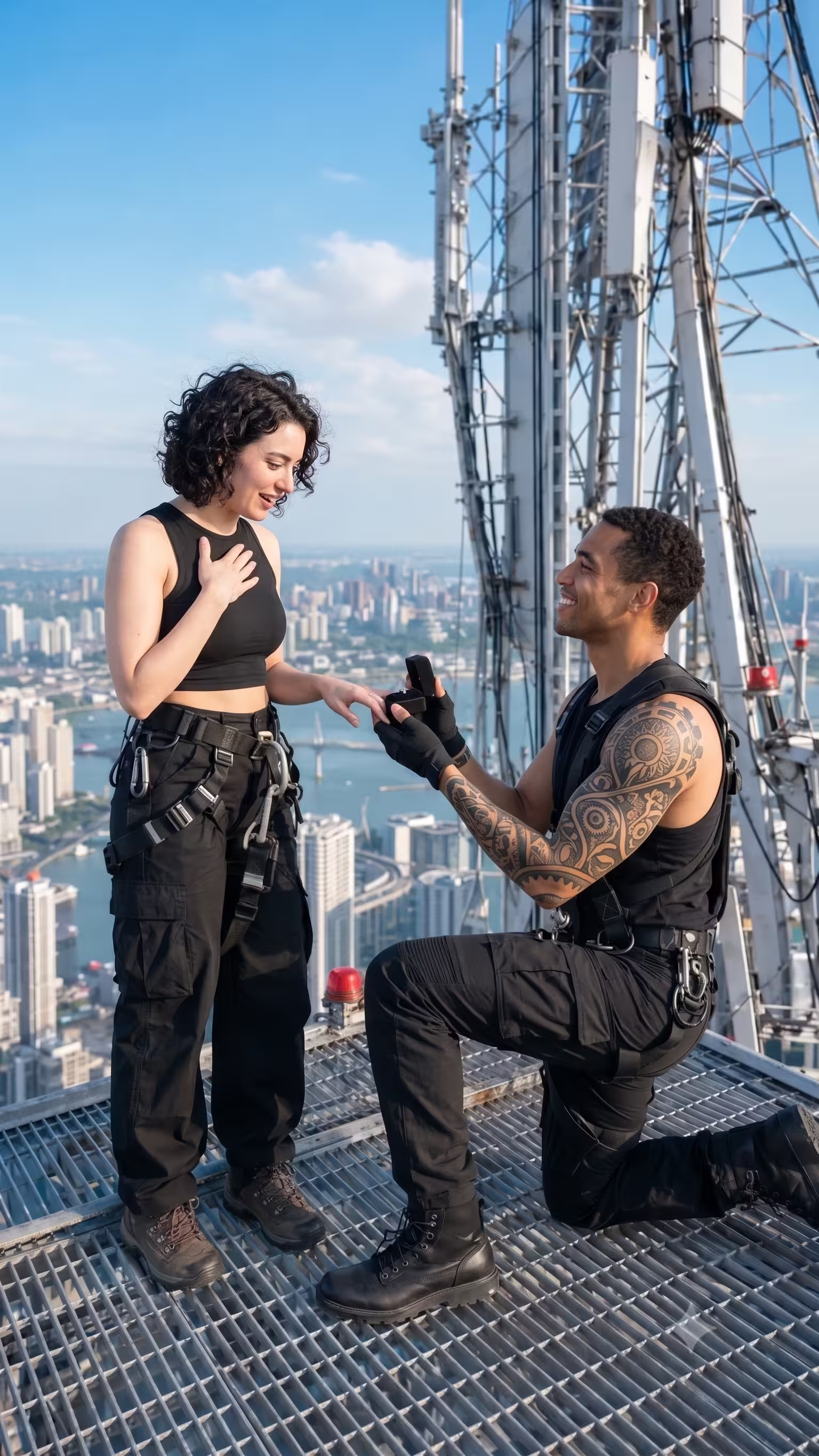
Before we make a video, we need a high-quality, ultra-realistic image baseline. We will use an AI image generator (like ChatGPT Plus/DALL-E 3, Bing Image Creator, or Midjourney) to build it.
Pro Tip: If you are using ChatGPT or an app that allows image uploads, upload a clear photo of you and your partner first, then paste the prompt so the AI can copy your exact facial features!
Option A: The Sunset Editorial Proposal Prompt
Copy and paste the text below into your AI generator:
Viral couple Tower photo editing. Use uploaded reference images ONLY for 100% facial identity of both subjects. Ultra-realistic 9:16, DSLR, 8K, HDR, luxury editorial rooftop proposal. Young couple on a large industrial steel grated maintenance platform atop an ultra-tall skyscraper, huge white-gray telecom tower behind (steel lattice, ladders, cables, beams, bolts, warning lights). Endless modern skyline, bridges, highways, waterfront, atmospheric haze, bright blue midday sky. Man kneels on right knee, smiling, presenting an open ring box with right hand, left hand reaching toward woman. Woman smiles emotionally, one hand on chest, other reaching for the ring. Faces fully visible with natural eye contact. Man: black sleeveless tactical tank, black cargo pants, climbing boots, black harness, fingerless gloves. Woman: black sleeveless crop top, black wide-leg cargo pants, hiking boots, black harness, long windblown hair, natural makeup. 35mm, eye-level, slightly close full-body, couple fills ~70% frame, platform edges visible, shallow DOF, soft cinematic shadows, rim light, ultra-sharp faces, photorealistic, masterpiece, Vogue editorial.
Option B: The “Custom Waving Flag” Prompt
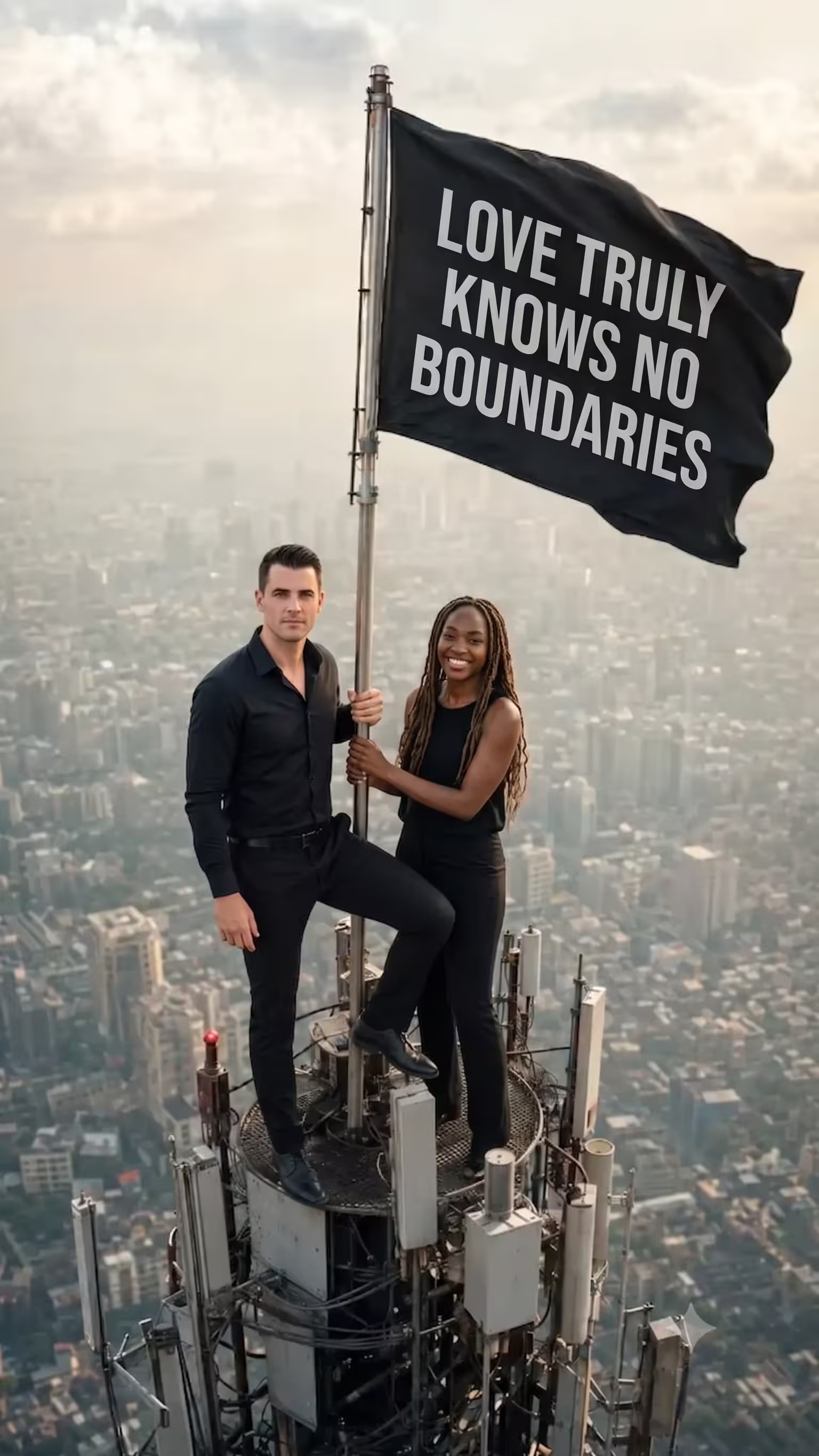
(Note: Change “YOURNAME.COM” in the prompt below to your own name, Instagram handle, or custom text!)
Viral couple photo editing. Use the uploaded couple photo only for facial identity. Preserve both faces 100% exactly (facial features, hairstyle, beard, skin tone). Do not change their identity. Dress the man in an all-black outfit standing confidently and the woman in a black sleeveless outfit stands calmly. Create an ultra-realistic vertical 9:16 cinematic drone shot of them standing on the tiny top platform of a very tall communication tower above a huge modern city with atmospheric haze and an extreme height feeling. The man stands confidently with one foot raised, holding the antenna pole; the woman stands beside him holding the pole. A large black flag waves in the wind with bold white text: YOURNAME.COM. Keep the text centered and readable on the flag, realistic lighting, warm daylight, telephoto lens, detailed metal tower, documentary realism, 8K HDR, no extra people, no logos, no watermark.
Once the AI generates your image, download the vertical (9:16) version to your phone or computer.
Step 2: Bring the Image to Life Using Flow AI
Now that you have your perfect image, it’s time to animate it so it looks like a real drone shot. We will use an AI video generator called Flow AI (or any similar image-to-video AI tool like Luma Dream Machine, Runway Gen-3, or Pika).
- Go to the Flow AI platform or website.
- Click on the “+” (Plus) icon at the top of the workspace to upload the AI photo you generated in Step 1.
- In the video text box prompt, copy and paste the motion prompt provided below.
- Click Generate and wait for the processing bar to hit 100%. The AI will take a few moments to process the physics of the wind and the camera movement.
- Preview your newly animated video. If the flag is waving perfectly, click the Save/Download icon to export it straight to your gallery.
The Motion Video Prompt:
Copy and paste this exact line into the video AI generator:
Viral couple video editing: animate this photo as the flag is waving in a slow wind. Keep the rest of the environment completely still and add a subtle, smooth zoom-in camera motion. Aspect Ratio 9:16.
Final Thoughts
Creating viral content doesn’t mean you actually have to hang off the edge of a skyscraper. In today’s digital age, AI makes the impossible entirely possible in just a few clicks. With the right mix of image generation and video motion tools, you can jump right onto this trending topic with a stunning, high-effort video.
Give these prompts a try, add a trending audio track on Instagram Reels or TikTok, and watch the views roll in!
What viral AI trend do you want us to break down next? Let us know in the comments below!
Want to Learn AI Tools? Join my complete course [Click Below Link]
Bundle of 20 AI tools to increase your Productivity and income