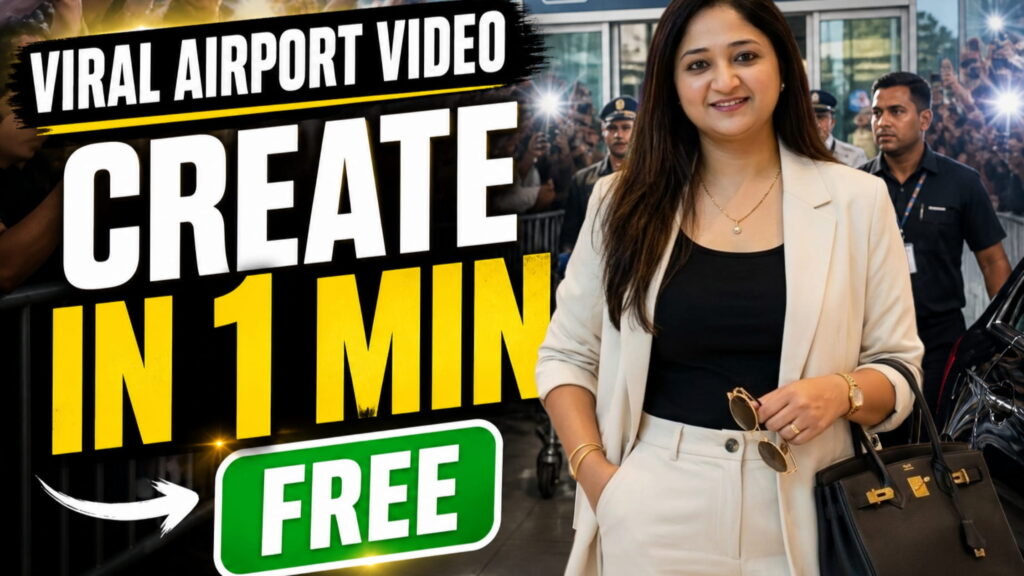
Seedance 2.0– Nowadays, viral celebrity airport videos are trending on Instagram Reels and YouTube Shorts. These videos look ultra-realistic with crowd reactions, paparazzi flashes, and cinematic movement.
If you want to create the same type of viral video, follow this simple step-by-step process.
—
Step 1: Get Your Photo Ready
First, you need a front-facing photo of yourself.
Make sure:
– Your face is clearly visible
– Lighting is normal
– Background is simple
Step 2: Create Image Using Google Gemini
1. Open Google Gemini
2. Upload your front-facing photo
3. Paste the prompt below
This will convert your image into a celebrity airport-style photo.
 Image Prompt:
Ultra realistic cinematic photograph of a fictional female celebrity exiting a modern international airport terminal.

STRICT LOCATION LOCK:

Scene must be at an airport arrival EXIT GATE only. Visible automatic glass sliding doors, “ARRIVALS” signage, security barricades, airport staff, trolley carts, polished reflective flooring. Do NOT generate mall, hotel, or indoor commercial spaces.

Scene Description:

The celebrity is already stepping OUT of the airport exit gate (not entering). She is mid-walk, slightly forward motion captured naturally. On both sides, a crowd of fans stands behind metal barricades, holding phones up, clicking photos. Some camera flashes visible. Paparazzi slightly leaning forward. Lively crowd energy.

Camera Perspective:

Front-left angle, slightly low height (fan perspective), like someone in crowd capturing her arrival moment. Slight natural motion blur in background for realism.

Main Character:

A fictional female celebrity inspired by the reference image. Maintain similar facial structure, skin tone, and hairstyle, but DO NOT replicate any real person exactly. Face should be consistent, elegant, and natural.

Hair & Face:

Sharp elegant facial features, glowing skin, expressive eyes, long straight dark brown hair styled neatly with natural bounce. Minimal luxury makeup. Calm, confident expression.

Outfit (STRICT LOCK):

Ultra premium airport look — off-white oversized blazer, fitted black inner top, high-waisted tailored trousers, luxury sunglasses, minimal gold jewelry, designer handbag. No changes allowed.

Lighting:

Natural daylight coming from outside airport. Soft shadows, realistic reflections on glass and floor. Slight cinematic haze.

Background Details:

Airport security staff, metal barricades, fans with smartphones, camera flashes, partial vehicles visible outside exit area.

Negative Prompt:

No mall, no shopping center, no indoor room, no hotel lobby, no studio background, no empty background, no cartoon, no CGI look, no unrealistic lighting.
Step 3: Create Video Using Google Flow (VEO3)
1. Open Google Flow
2. Select Image to Video (or Ingredients to Video)
3. Upload your generated image
Step 4: Paste the Video Prompt
Now paste the video prompt below:
 Video Prompt (8 Seconds):
Ultra realistic cinematic video of a female celebrity at an airport pickup zone. Single continuous handheld shot. No cuts. Documentary realism with natural micro-shake.

STRICT LOCATION LOCK:

Modern international airport EXIT and pickup area. Large glass terminal behind, visible sliding doors, “ARRIVALS” signage, security barricades, airport staff, vehicles lined up outside. Do NOT generate mall, hotel, or indoor commercial environment.

Audio:

Only natural environment sound — crowd cheering, people shouting “Ma’am! Ma’am!”, camera shutter clicks, phones recording, distant airport announcements, footsteps, fabric movement.

Lighting:

Natural daylight from outside airport. Soft shadows, realistic reflections, slight cinematic haze.

Main Character:

A fictional female celebrity with sharp elegant features, glowing skin, expressive eyes, long straight dark brown hair styled neatly. Minimal luxury makeup. Calm, confident expression. Character should remain visually consistent but not resemble any real person.

Outfit (STRICT LOCK):

Ultra premium airport look — off-white oversized blazer, fitted black inner top, high-waisted tailored trousers, luxury sunglasses, minimal gold jewelry, designer handbag. No changes allowed.

SCENE (0–8s):

0-2s:

Camera inside dense crowd behind barricades. Hands and phones raised, partially blocking view. Natural shake. Loud crowd energy.

2-4s:

Camera lifts slightly. Celebrity already visible walking toward pickup zone with security. Media flashes. Movement feels urgent and real.

4-6s:

From left side, a fan shouts:

“Ma’am! Ek photo please!”

Celebrity briefly turns, gives a soft smile and small wave. Crowd reacts louder. Camera shakes due to push.

6-8s:

Camera struggles to follow as she reaches a premium black luxury car. Security opens door. She enters quickly and gracefully.

Engine starts. Vehicle begins moving.

Final quick glimpse through tinted window as camera lifts. Audio fades naturally.

Negative Prompt:

No real person replication, no exact face match, no mall, no hotel, no indoor room, no studio setup, no cartoon or CGI look.
Final Step: Upload Your Video
– Export in 9:16 format
– Upload on:
– Instagram Reels
– YouTube Shorts
Pro Tips
– Always use an airport exit scene image
– Keep video short (6–8 seconds)
– Add crowd interaction for realism
– Avoid using real person names
—
Conclusion
The process is very simple:
Photo → Gemini Image → Flow Video
Using this method, you can easily create your own viral airport celebrity video.
Want to Learn AI Tools? Join my complete course [Click Below Link]
Bundle of 20 AI tools to increase your Productivity and income