In recent weeks, a new AI trend called Seedance 2.0 has taken over social media. From Instagram reels to short cinematic clips, creators are producing highly realistic and creative videos using this powerful AI-based workflow. This trend isn’t just about editing—it’s a complete transformation of how videos are created.
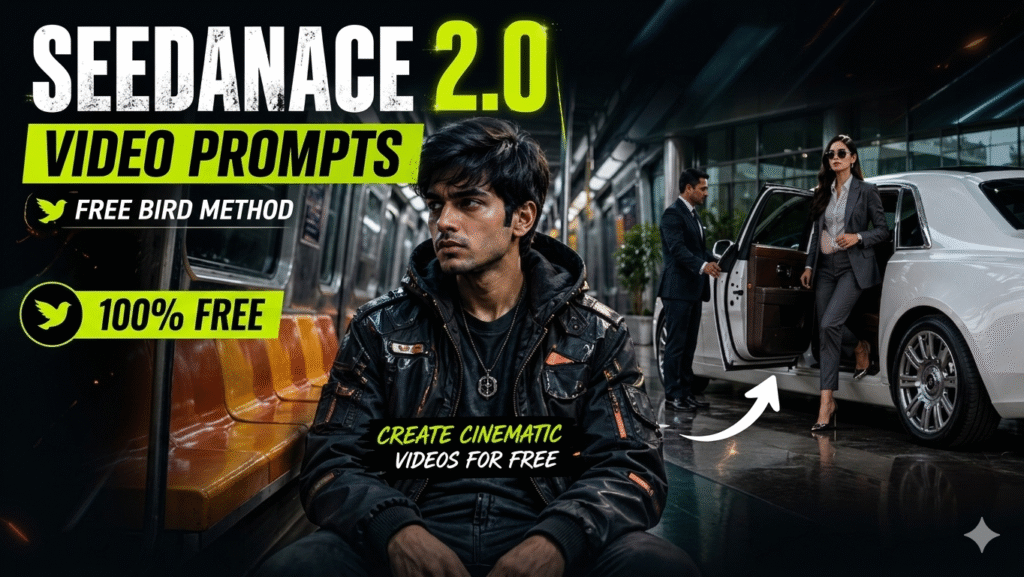
Seedance 2.0 can be considered both an AI update and a creative tool that allows users to generate cinematic videos from simple inputs. People are experimenting with different styles, scenes, and storytelling formats, making it one of the most viral AI trends of the month.
What Makes Seedance 2.0 Viral?
The biggest reason behind its popularity is simplicity and creativity. Anyone can create professional-looking videos without expensive software or advanced editing skills. By combining AI image generation and video tools, users can build scene-by-scene content and even create a full short film.
Another major highlight is that this method is completely free (Free Bird Method), making it accessible to everyone.
—
Step-by-Step Process to Create Videos
Press Conference Style Cinematic Video
Step 1: Create the Image
Take a screenshot from your video and open ChatGPT. Upload the screenshot along with a clear front-facing photo of yourself. Then use a prompt like this:
"The first image is a screenshot from my video. Recreate the scene and generate a high-quality, realistic image based on it. Replace the person in the screenshot with the face from the second uploaded image while keeping the original composition, background, lighting, and overall style intact. Make the result look natural and professional."Once you submit the prompt, ChatGPT will generate the image for you.
Step 2- Video Generation
Go to Google and search for Kie.ai. Open the website and log in to your account. After logging in, click on Explore AI APIs. Search for Grok, then scroll down and open it. Select the Image-to-Video option, choose your preferred aspect ratio, and upload the image you generated in Step 1. Finally, paste the prompt below and start the video generation process. Once the generation is complete, your video will be ready.
global_rule: No music, diegetic SFX only. Raw ungraded handheld press DSLR footage, jittery and overexposed in harsh Delhi midday sun.0s — Operator jostling inside a tight crowd of desi press reporters, camera low and angled up, catching kurta sleeves and mic booms with channel logos (Aaj Tak, NDTV, Republic). [CHARACTER] clears the [LOCATION] entrance — wide sandstone archway, Delhi Police constable in khaki holding crowd back. Shutters machine-gun click. Reporter shouts “Idhar dekhiye sir, idhar idhar!”1s — Autofocus snaps to [CHARACTER]’s face: lean build, neutral attire, stoic expression. Side figure leans close. Mics with Indian channel flags lurch in from every edge, cutting off the chin.2-4s — Camera shakes hard as another press body shoves past. Autofocus hunts, goes soft, snaps back. Lens flare slices upper-left. Reporters yelling “Sir ek sawaal please!”5s — Tight zoom on [CHARACTER]’s face, scanning. Side figure eclipses right quarter of frame.6s — Blur of motion tears in from the right. Operator unprepared.7s — Young desi prankster in hoodie and jeans lunges full-body and drives a cream pie straight into [CHARACTER]’s face. Wet smack. Malai and crust explode outward, coating attire and features. Camera jerks violently — flash of sky, blurred arm, chaos — operator regrabs, autofocus thrashing.8-9s — Stunned half-second silence. Then someone beside the camera screams “Bhai sach mein ho gaya, bhaag bhaag BHAAG!” Crowd erupts — laughing, screaming, phones flying up everywhere, flashes popping.10s — Two SPG commandos in dark safari suits slam into the prankster from both sides, driving them down out of frame. Side figure backs against a sandstone pillar, covering face. Frame tilts 40° before correcting.11s — [CHARACTER] slowly raises both palms, drags them across eyes and cheeks. Expression cycles: shock → disbelieving head-shake → corner of mouth pulling up.12s — [CHARACTER] speaks flat into the nearest cluster of mics rammed up from below, cream still dripping off chin: “Theek hai bhai. Gussa nahi aaya. Nishana toh sahi tha tera.”13-15s — Cream sliding down attire in heavy sheets. Background commandos still pinning prankster. Operator whip-pans, blurs, settles back on [CHARACTER]’s face — half laughing, half dawning camera-awareness. Phone screens raised everywhere recording. Final frame: a press photographer with “PRESS” lanyard cuts in front of the lens, blackout, clip ends raw.Viral Airport Celebrity Look Video
1. Generate an Image (Using Google Gemini)
First, you need to create a base image.
- Go to Google Gemini
- Upload your reference photo
- Use the prompt below to generate a cinematic AI image:
Image Prompt:
Use the provided reference image for exact face identity. Maintain 100% facial features, face shape, skin tone, and hairstyle. Do not alter the face in any way.
A young Indian man sitting inside a retro subway train carriage. The environment has orange-yellow vintage seats, metallic textures, dim overhead lighting, and a slightly worn, cinematic look.
Outfit: futuristic cyberpunk style — dark tactical jacket, subtle neon accents, layered streetwear, high-detail fabric textures.
Lighting: low-key, moody lighting with grey-blue tones, soft shadows, cinematic contrast, slight film grain.
Atmosphere: tense and mysterious, subtle hints of sci-fi — faint reflections, minimal glitch-like light streaks, but still grounded and realistic.
Camera: medium shot, eye-level, 35mm lens look, shallow depth of field, subject in sharp focus, background slightly blurred.
Style: ultra-realistic, cinematic IMAX quality, Panavision C-series lens feel, high dynamic range, no cartoon or CGI look.
Important: maintain exact same face identity from the reference image, no distortion, no change in facial structure.
Once generated, download the image.
—
2. Convert Image into Video (Using Google Flow)
Now, it’s time to turn your image into a cinematic video.
- Go to Google Flow
- Upload the generated image
Use the following video prompt:
Video Prompt:
Ultra realistic cinematic video of a luxury corporate entrance. 4K, high detail, real-life motion, natural lighting. Stable camera on gimbal, smooth movement, no shake, no cuts.
A white Rolls Royce Ghost is parked at a modern glass office entrance with reflective flooring.
A professional assistant in formal attire quickly walks into frame from the side and reaches for the rear car door.
The assistant smoothly opens the rear door of the Rolls Royce.
After a brief natural pause, a young female billionaire begins to step out of the car.
Close-up cinematic focus: one high-heel shoe touches the polished ground first.
Her body follows with smooth, realistic motion.
She stands up fully from the car with composed elegance and natural posture.
Her blazer moves slightly as she adjusts it with one hand.
She is wearing a charcoal grey power suit, white silk shirt, luxury heels, Maui Jim sunglasses, and a white Richard Mille watch.
The sunglasses reflect light as she lifts her head slightly.
Her wristwatch catches a subtle light glint.
The car door remains open behind her.
Background shows glass reflections and soft daylight entering the building.
Natural movement, realistic human motion, no slow motion, no stylization, no animation look.
Audio: soft ambient environment, light fabric movement, subtle car sounds.
—
Create Full Cinematic Videos
By repeating this process, you can generate scene-by-scene videos and combine them into a complete cinematic story or short film. This is how most viral Seedance 2.0 creators are producing high-quality content consistently.
Final Thoughts
Seedance 2.0 is not just a trend—it’s a glimpse into the future of content creation. With tools like Google Gemini and Google Flow, anyone can become a creator, storyteller, or filmmaker.
And the best part?
This Free Bird Method allows you to do it all without spending money.
Want to Learn AI Tools? Join my complete course [Click Below Link]
Bundle of 20 AI tools to increase your Productivity and income