Beginner Guide + 12 Ready-to-Use PRO Prompts
AI image creation is no longer basic.
With ChatGPT Image 2.0, you can create ads, thumbnails, product shoots, branding photos, and viral content — just by uploading images and using the right prompt.
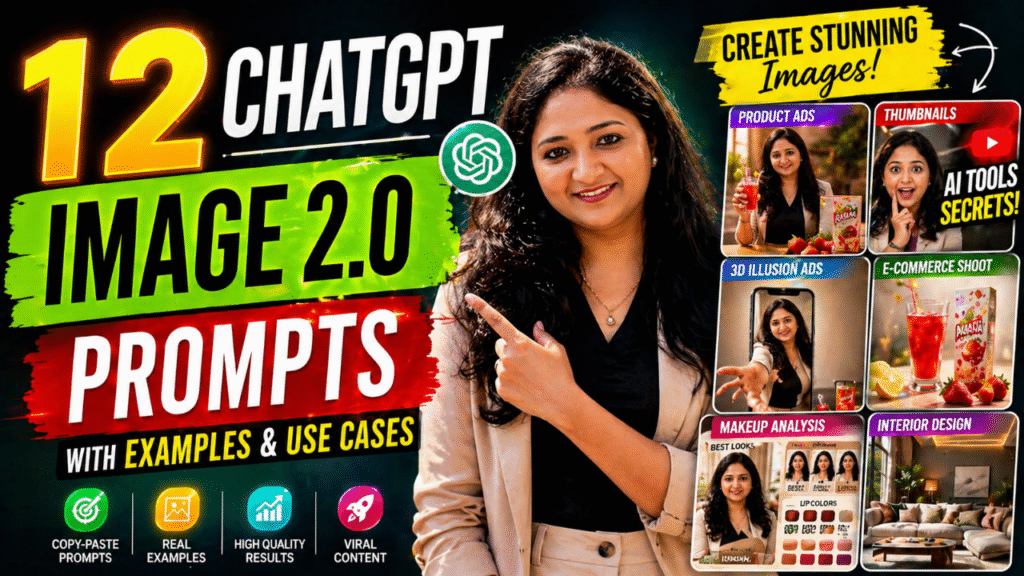
 Below are 12 powerful use cases with 100% ready prompts
Just copy → paste → upload images → done
Want to Learn AI Tools? Join my complete course [Click Below Link]
Bundle of 20 AI tools to increase your Productivity and income
 1. Product Advertisement (Lifestyle Integration)
 INPUT:
Your Portrait Image
Product Image
 PROMPT:
Use the uploaded images as input:
– Image 1: Your Portrait Image (face must remain unchanged)
– Image 2: Product Image
Create a realistic lifestyle product advertisement.
TASK:
Place the product naturally in the person’s hand with correct grip and interaction.
Ensure:
– Face identity remains exactly the same
– Product is sharp, undistorted, and clearly visible
– Natural hand positioning (no awkward grip)
– Realistic lighting and shadows matching the scene
– Proper scale and perspective
SCENE:
Warm lifestyle setting (home / café / desk environment)
Add subtle props like table, plants, books for realism
STYLE:
High-end commercial photography
Soft diffused lighting
Slight background blur (depth of field)
Clean premium aesthetic
OUTPUT:
Square (1:1), ultra-realistic, ad-ready image
—
 2. E-commerce Product Shoot
INPUT:
Product Image
PROMPT:
Use the uploaded image as:
– Product Image
Create a premium e-commerce product image.
TASK:
Place the product at the center with perfect alignment.
Ensure:
– Product remains exactly the same (no distortion)
– Ultra sharp details
– Clean edges
SCENE:
Pure white or soft pastel background
LIGHTING:
Studio lighting with soft shadows under product
No harsh reflections
STYLE:
Amazon / Flipkart professional product photography
OUTPUT:
1:1 square, ultra-HD, clean commercial look
—
 3. YouTube Thumbnail (High CTR)
INPUT:
Your Portrait Image
PROMPT:
Use the uploaded image as:
– Your Portrait Image (face must remain unchanged)
Create a high-converting YouTube thumbnail.
TASK:
Add expressive emotion (shock/excitement/confusion) to the face.
Ensure:
– Face identity unchanged
– Add bold large text (3–5 words)
– Add arrows, circles, highlights for focus
STYLE:
Bright colors, high contrast, clickbait style but clean
BACKGROUND:
Blurred or dramatic gradient
OUTPUT:
16:9 ratio, ultra sharp, viral thumbnail style
—
 4. Personal Makeup Analysis Board
INPUT:
Your Portrait Image
PROMPT:
Use the uploaded image as:
– Your Portrait Image (high identity preservation required)
Create a premium “Personal Makeup Analysis” infographic.
LAYOUT:
Left side: Large portrait with soft natural lighting
Right side: Grid of smaller portraits with makeup variations
INCLUDE:
– Everyday natural look
– Warm glam look
– Soft evening look
– Lip color guide
ADD:
 Best looks section
 Avoid looks section
Color swatches (lip, blush, eyeshadow)
Season badge: “Soft Autumn”
STYLE:
Minimal, clean, premium beauty editorial design
Soft cream background, rounded cards, elegant typography
OUTPUT:
4:5 ratio, ultra-detailed infographic
—
 5. 3D Illusion Ad (Cinematic)
INPUT:
Your Portrait Image
Product Image
PROMPT:
Use the uploaded images:
– Image 1: Your Portrait Image
– Image 2: Product Image
Create a cinematic 3D illusion advertisement.
TASK:
Place the person inside a smartphone screen.
Make the person step out of the screen toward the viewer.
Extend one hand forward (foreshortening effect).
Place the product outside the phone in foreground.
Ensure:
– Correct perspective (hand larger near camera)
– Realistic depth and shadows overlapping phone edges
– Product remains sharp and undistorted
SCENE:
Inside phone: warm lifestyle environment
Outside: clean studio background
STYLE:
Cinematic lighting, soft diffused light, premium ad look
TEXT:
“Care you can reach”
OUTPUT:
1:1 square, ultra-realistic
—
 6. Personal Branding Portrait
INPUT:
Your Portrait Image
PROMPT:
Use the uploaded image as:
– Your Portrait Image (face unchanged)
Create a high-end personal branding portrait.
TASK:
Enhance posture, lighting, and outfit styling.
SCENE:
Clean modern background (office / studio)
STYLE:
Professional, confident, premium look
Soft lighting, subtle shadows
OUTPUT:
4:5 ratio, ultra-HD
—
 7. Interior Visualization
INPUT:
(Optional reference image OR none)
PROMPT:
Create a modern interior design scene.
SCENE:
Luxury living room with sofa, plants, warm lighting
STYLE:
Pinterest-style aesthetic, minimal and premium
LIGHTING:
Soft warm ambient lighting
OUTPUT:
4:5 or 1:1, ultra realistic
—
 8. Outfit Visualization
INPUT:
Your Portrait Image
PROMPT:
Use the uploaded image as:
– Your Portrait Image
Create multiple outfit variations on the same person.
Ensure:
– Face identity unchanged
– Different outfits (casual, formal, party)
STYLE:
Fashion editorial, clean background
OUTPUT:
4:5, high fashion look
—
 9. Packaging Mockup
INPUT:
Product Image
PROMPT:
Use the uploaded image as:
– Product Image
Create a premium packaging mockup.
TASK:
Design a realistic product box around the product.
Ensure:
– Clean branding area
– Realistic shadows and reflections
STYLE:
Minimal, luxury packaging design
OUTPUT:
1:1, commercial ready
—
 10. Social Media Creative
INPUT:
(Optional image)
PROMPT:
Create an Instagram post design.
STYLE:
Minimal, clean, modern typography
ELEMENTS:
– Bold headline
– Soft color palette
– Balanced layout
OUTPUT:
1:1, premium social media post
—
 11. Cinematic Scene Creation
INPUT:
Your Portrait Image (optional)
PROMPT:
Create a cinematic storytelling scene.
SCENE:
Emotional moment with dramatic lighting
STYLE:
Movie-like frame, realistic characters
LIGHTING:
High contrast cinematic lighting
OUTPUT:
16:9, ultra-HD
—
 12. Educational Infographic
INPUT:
(Topic-based)
PROMPT:
Create an educational infographic.
TASK:
Break topic into sections with icons and visuals.
STYLE:
Clean, modern, easy to understand
COLORS:
Soft, readable palette
OUTPUT:
4:5, high clarity infographic